








The following is instructions on how to access the "K" drive
through Internet Explorer web browser.
1. Open Internet Explorer.
2. Type ftp://amas.clackamas.edu
into the Address Bar of Internet Explorer. You will see the following login window:
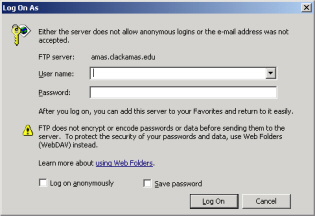
3. Type
.streeter.studentou.instruction.main_campus.ccc
into the Username field.
Note...
- Leave the Password field blank.
- These fields are case-sensative -- do not use capital letters.
- There is a "leading period" in the Username field.
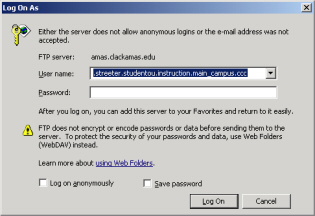
4. Click on the Log On button.
5. You will then see the AMAS server

6. Click on the AMAS_VOL1 directory.
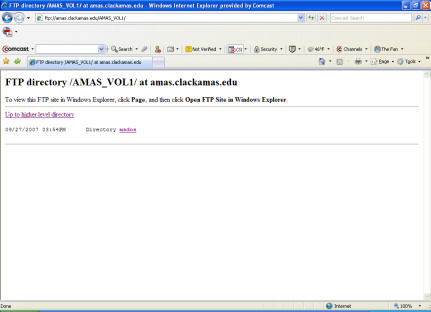
7. Click on the msdos directory to get to the "K" drive.
From here, you should click as follows:
- The CCC directory
- The Baratto directory
- The M050 directory
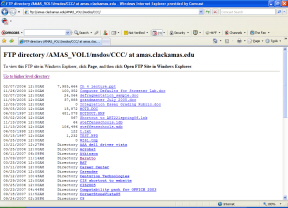
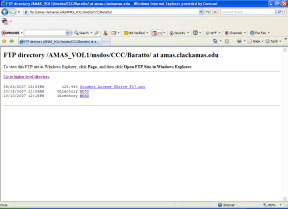
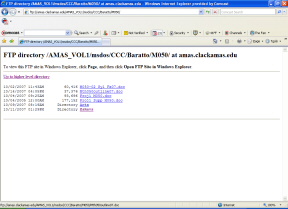
8. Click on any file you want and save it to your hard drive or to a thumb drive.
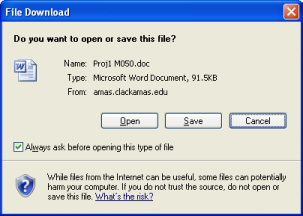
Note...
Right-clicking on the file and choosing Save Target As may result
in an error. Instead, try left-clicking on the link to open the above window.